Read the exact README included in your download
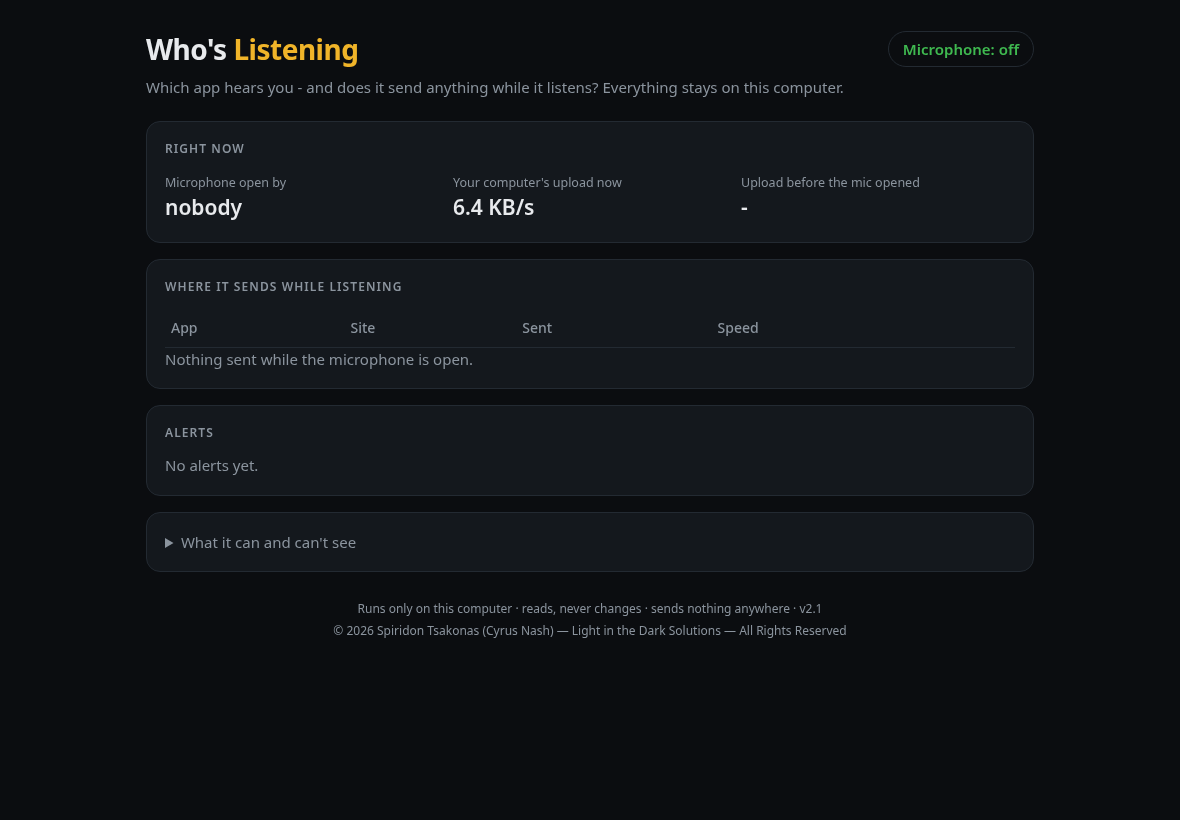
WHO'S LISTENING  v2.1
Which app hears you - and does it send anything while it listens?

WHAT IT DOES
- Shows, live, every app that has your microphone open.
- Shows every internet connection that app uses while it listens: the site, how much it sent, how fast.
- Alerts you (desktop notification + the page) when an app:
    * sends data while your microphone is open,
    * keeps sending a steady, voice-sized stream (700+ bytes per second for 8+ seconds),
    * holds the microphone while your computer's upload rises (calls send voice this way).
- When the app closes the microphone, it tells you what it sent while it listened.

PRIVACY
Runs only on your computer. It only reads (your sound system, your network table) - it changes nothing
and sends nothing anywhere. No account, no cloud, no tracking. The page lives at http://127.0.0.1:7820
and answers only your own computer.

NEEDS
A Linux desktop that uses PipeWire for sound, with python3, pw-dump (PipeWire's tools) and ss (iproute2).
No admin password. No extra Python packages.

INSTALL (runs in the background, starts with every login)
    bash install.sh
Then open "Who's Listening" from your apps menu, or go to http://127.0.0.1:7820

TRY IT WITHOUT INSTALLING
    python3 whos_listening.py          (opens the page)
    python3 whos_listening.py --cli    (terminal only)

REMOVE
    bash uninstall.sh

HONEST LIMITS
- Calls (Meet, Discord, WhatsApp Web...) usually send voice over UDP. Counting UDP bytes per app needs admin
  rights, so for those it watches your computer's total upload while the microphone is open.
- In a browser it cannot tell which tab sent the data - only that the browser did, and where.
- Site names come from the address owner and are often a delivery network (Fastly, Cloudflare, Akamai).
- "Voice-sized" is a strong sign, not proof.
- Linux only (this version).

(c) 2026 Spiridon Tsakonas (Cyrus Nash) - Light in the Dark Solutions - All Rights Reserved