How it works
Everything on this site, in one page: what each part is, what you get when you buy, and what you need to run it.
One umbrella, four parts
Light in the Dark Solutions (Athens, est. 1999) is the umbrella for all the work on this site. It has four parts:
1. Sovereign Tools — desktop software you buy once and download. It runs on your own computer: Stock, Ledger, Lens, Invoice, Tally, Reckon, Renewal, Chain, Register, Roster, plus the AI tools Scribe and Cortex, and two bundles. Paid through Stripe, in euros.
2. The Soulfire Stack — seven more downloadable utilities, sold through Gumroad and priced in euros.
3. The Platforms — larger projects, each with its own website: The Guardians of the Deep, Sovereign Analyst, The Deeper Mirror, and LIHNOS (the pre-IPO document analyser, sold from its own site).
4. Light in the Dark coaching — one-to-one work (Spark · Flame · Torch Bearer, plus single sessions), offered on its own site.
The Platforms, explained
Four larger projects, each with its own website. In their own words:
The Guardians of the Deep — the flagship: sovereign property intelligence and security. Its site shows 8 live data feeds watched around the clock, and an acquisition brief. Visit ↗
Sovereign Analyst — financial intelligence from five AI agents, with real-time market data, personalised to you. Its site presents it as an alternative to paid investment newsletters. Monthly or yearly subscription. Visit ↗
The Deeper Mirror — a wellbeing space: five remedies in one protocol, from a quiet "Reset" to a curated deletion of your digital echo, with Empathica as your companion. Visit ↗
LIHNOS — see what you actually own in a pre-IPO SPV. Your documents never leave your computer. One-time purchase from €99. Visit ↗
How they connect: all four are built and owned by Light in the Dark Solutions. Sovereign Analyst lives under the Guardians of the Deep address; The Deeper Mirror and LIHNOS live under the Light in the Dark address.
What happens when you buy a tool
- You pay once on the secure payment page (Stripe or Gumroad).
- You are taken straight to your download. Nothing is shipped.
- You unzip the file. Inside: the program, a README with full instructions, and start files for Windows, macOS and Linux.
- You need Python 3.10 or newer, free from python.org. On Linux, the windowed tools also need Tkinter; each README shows the one command.
- You start it with the included start file. For the ten desktop tools: on Windows double-click run.bat; on macOS or Linux double-click run.sh (or run ./run.sh in a terminal). Each README names the exact start file.
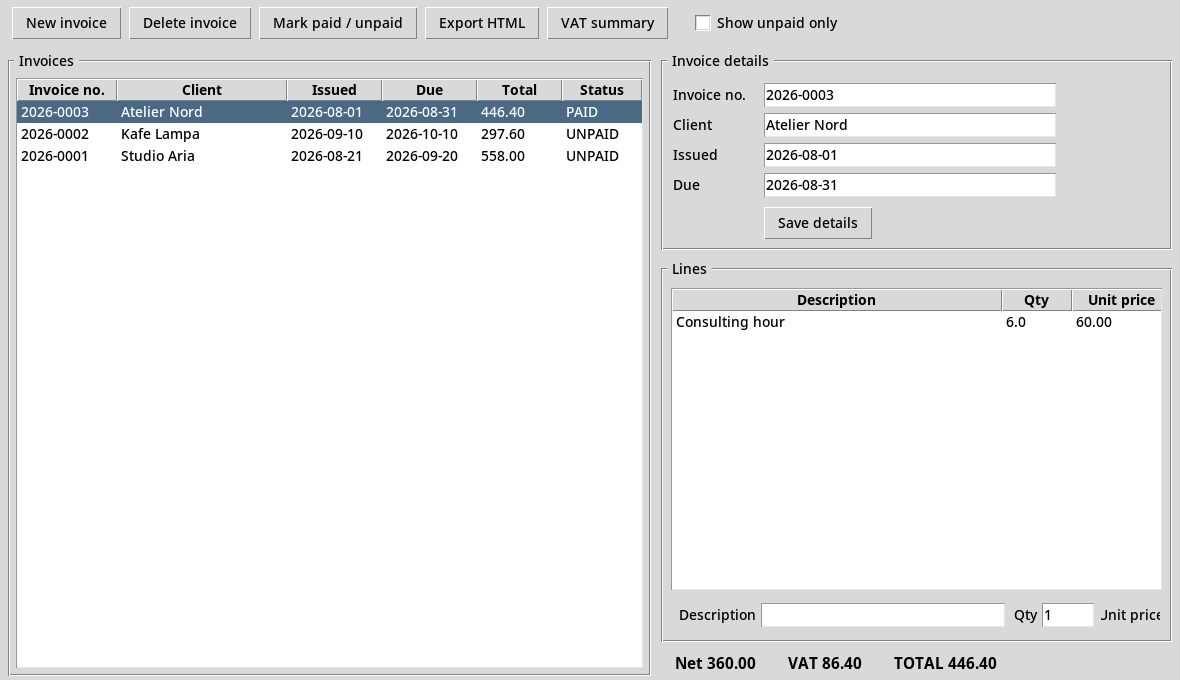
Where your data lives
Each of the ten desktop tools (Stock to Roster) keeps your data in one file in your own home folder, for example ~/sovereign_invoice.db. There is no account and no internet connection. To back up, copy that file somewhere safe. Every product page shows the exact file for that tool.
The AI tools: Scribe and Cortex
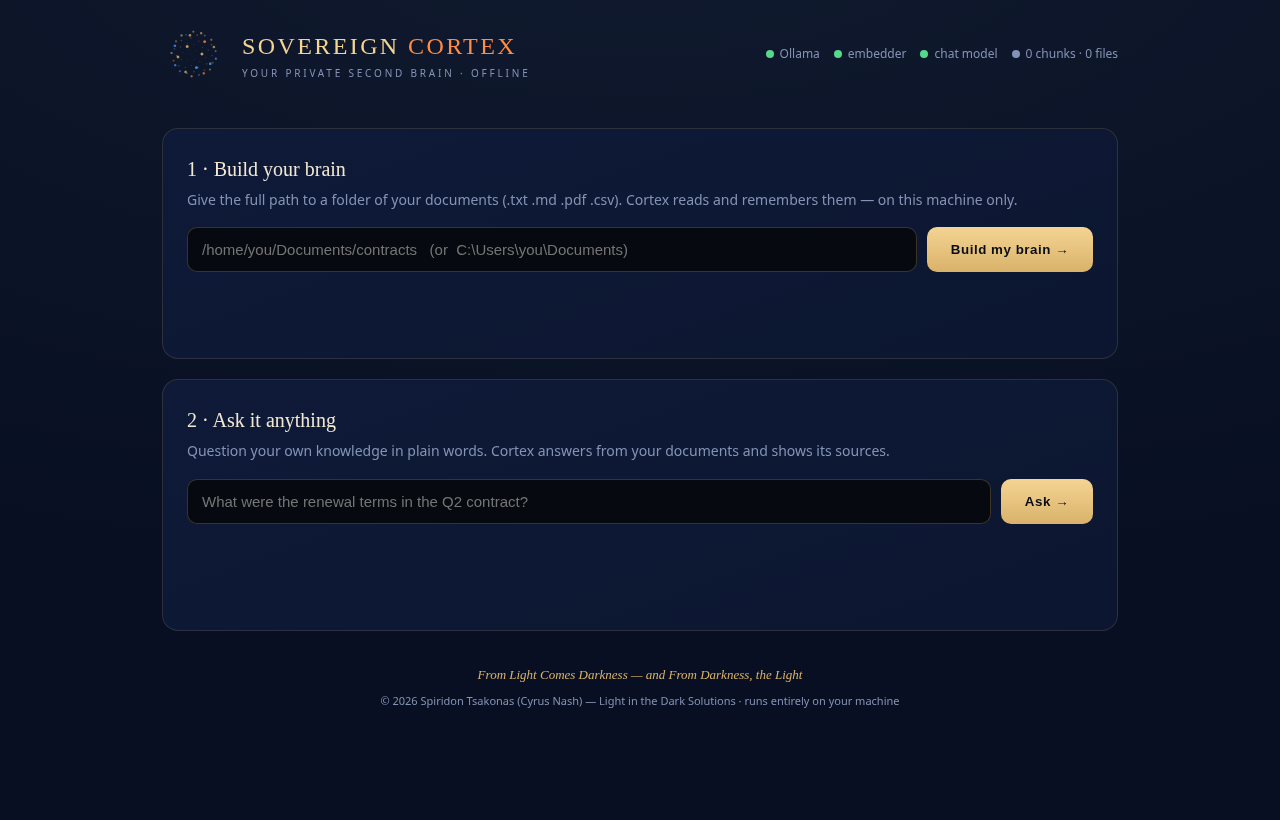
Scribe and Cortex use artificial intelligence that runs on your own computer. For that they need Ollama, a free program from ollama.com, and one or two free models that you download once. Their product pages show the exact commands.
Refunds and help
Full refund within 14 days, no reason needed. Problems with a download or getting started? Email [email protected]. See Terms · Refunds · Contact and Shipping.