Read the exact README included in your download
============================================================
SOVEREIGN CORTEX — your private second brain
Ask questions of your own documents. Nothing ever leaves.
Light in the Dark Solutions
============================================================
WHAT THIS IS (in one breath)
----------------------------
Point Cortex at a folder of your files. It reads and remembers them on YOUR
computer. Then you ask questions in plain words, and it answers from your own
documents — and shows you which file each answer came from. No cloud, no
account, no internet needed once it's running.
WHAT YOU NEED (a one-time, 5-minute setup)
------------------------------------------
1) PYTHON 3  — most computers already have it. Get it free at python.org.

2) OLLAMA  — the free engine that runs the AI on your own machine.
   Download it once from  ollama.com  and install it.

3) TWO FREE MODELS. After installing Ollama, open a terminal / command prompt
   and run these two lines once (copy, paste, press Enter):

       ollama pull nomic-embed-text
       ollama pull llama3.1:8b

   (The first reads your documents; the second writes the answers.
    On a slower machine, you can use  mistral:7b  instead of llama3.1:8b —
    it's faster. If you do, see "CHANGING THE MODEL" at the bottom.)
HOW TO START IT
---------------
Double-click the launcher for your system:

   WINDOWS :  Sovereign Cortex (Windows).bat
   MAC     :  Sovereign Cortex (Mac).command      (first time: right-click → Open)
   LINUX   :  open this folder in a terminal and run:   bash run.sh

Your web browser opens to  http://localhost:7794  — that's Cortex.
(Leave the little black window open while you use it. Closing it stops Cortex.)
HOW TO USE IT — TWO STEPS
-------------------------
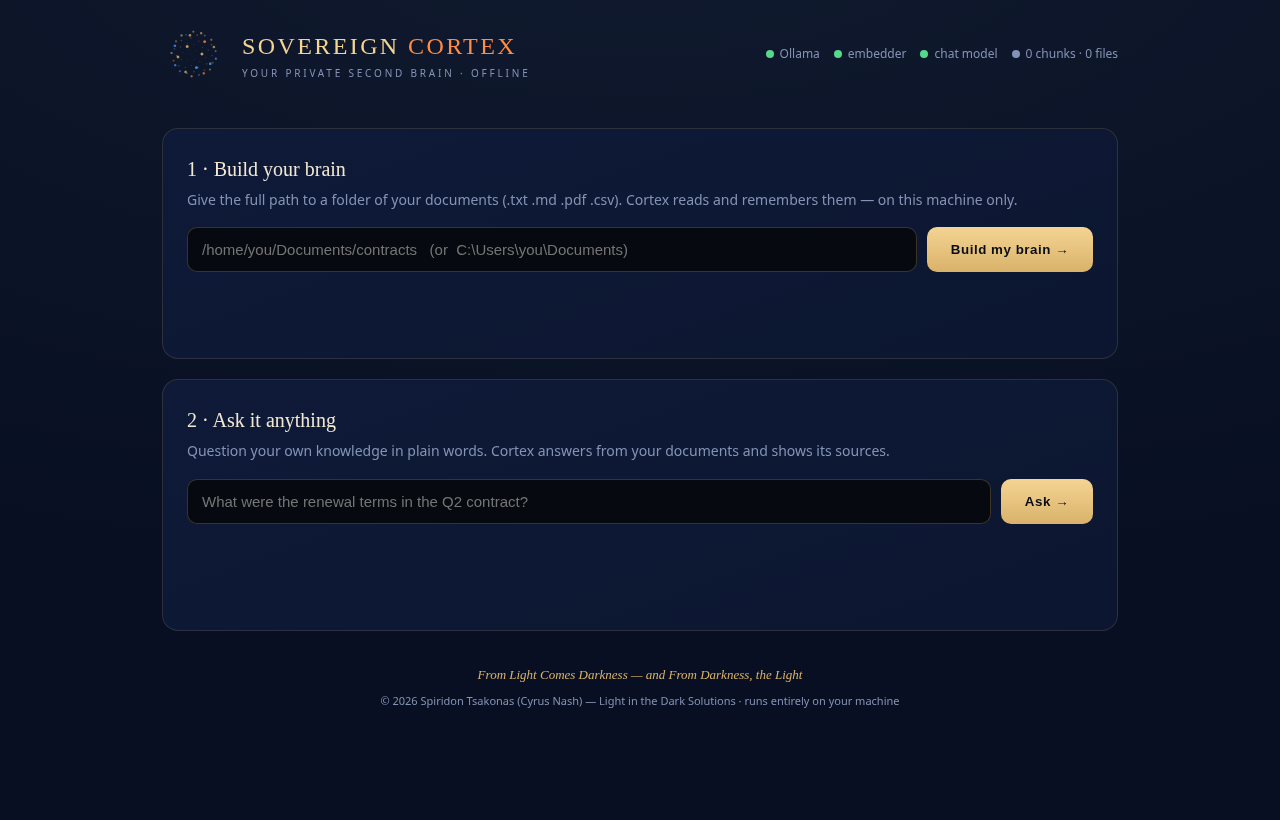
STEP 1 — BUILD YOUR BRAIN
• In the first box, type the FULL PATH to a folder of your documents.
Example (Mac/Linux): /home/you/Documents/contracts
Example (Windows): C:\Users\you\Documents\contracts
• Click "Build my brain".
• Watch the progress bar. The FIRST time can take a while — it's reading and
understanding every file on your own processor. That slowness IS the
privacy: nothing is being sent anywhere. Let it finish.
• Supported files: .txt .md .pdf .csv .log
(For PDFs, if it skips them, run once: pip install pypdf )
STEP 2 — ASK ANYTHING
• In the second box, type a question about your documents.
• Click "Ask". The answer streams in, and the source files appear as tags
beneath it. You can ask as many questions as you like.
Add more documents anytime: just point it at another folder and build again —
it adds to the brain. To start over completely, that's the "reset" below.
THE DOTS AT THE TOP
-------------------
Green = ready. They show whether Ollama is running, whether the two models are
installed, and how much you've indexed. If any dot is red, the on-screen hint
tells you the exact one-line command to fix it.
PRIVACY — THE WHOLE POINT
-------------------------
Cortex only ever talks to Ollama on your own machine (127.0.0.1). It makes NO
outside connection. Your documents, the index it builds, and every answer live
and stay on your disk. This is a second brain that is truly, only, yours.
TROUBLESHOOTING
---------------
• "Ollama is not running" → open the Ollama app (or run `ollama serve`), wait a
few seconds, try again.
• A model dot is red → run the matching `ollama pull …` line shown on screen.
• PDFs seem empty → run: pip install pypdf then build again.
• Answers are slow → normal on CPU; switch to the faster mistral:7b model.
CHANGING THE MODEL (optional)
-----------------------------
Open cortex.py in a text editor. Near the top, change:
CHAT_MODEL = "llama3.1:8b" → "mistral:7b" (faster)
Save, restart Cortex.
FROM LIGHT COMES DARKNESS — AND FROM DARKNESS, THE LIGHT
(c) 2026 Spiridon Tsakonas (Cyrus Nash) — Light in the Dark Solutions — All Rights Reserved
============================================================